DecisionBox writes down
what your data means.
Before its first run, DecisionBox describes each table it indexes in plain language. Your team adds the definitions only people know, and answers the questions the data can't settle. Every discovery run and every Ask answer starts from that shared context.
It starts by reading your schema
Connect a warehouse and DecisionBox indexes it before anything else. For each table it reads the columns, their types, the row count and a few sample rows. Then it writes 2 to 4 sentences: what one row is, which columns matter most, which ones look like keys, and what the table is useful for. It also marks each column's role, such as dimension, metric or time, from its name and type.
Those descriptions go into a searchable index. On a warehouse with thousands of tables, DecisionBox starts from a catalog with one line per table and finds the right tables by meaning. It pulls full column detail only for the tables it uses, so the model never has to read every column at once.
In our demo runs, indexing a 9-table warehouse took between 30 seconds and about 3 minutes. Nobody had to write a data model first.
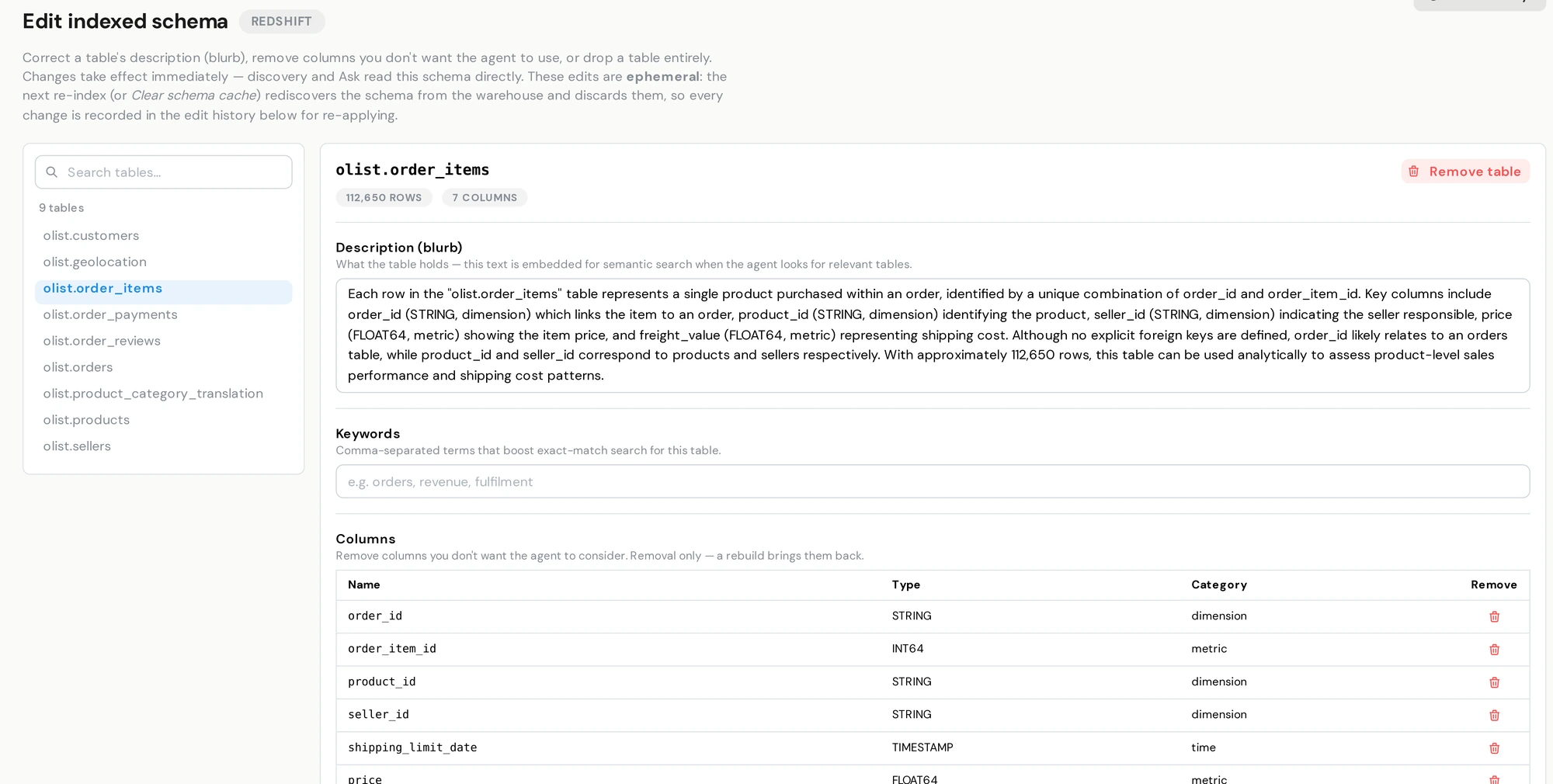
The schema editor shows one table at a time: here, the description DecisionBox wrote for the order-items table, its keywords and each column's role.
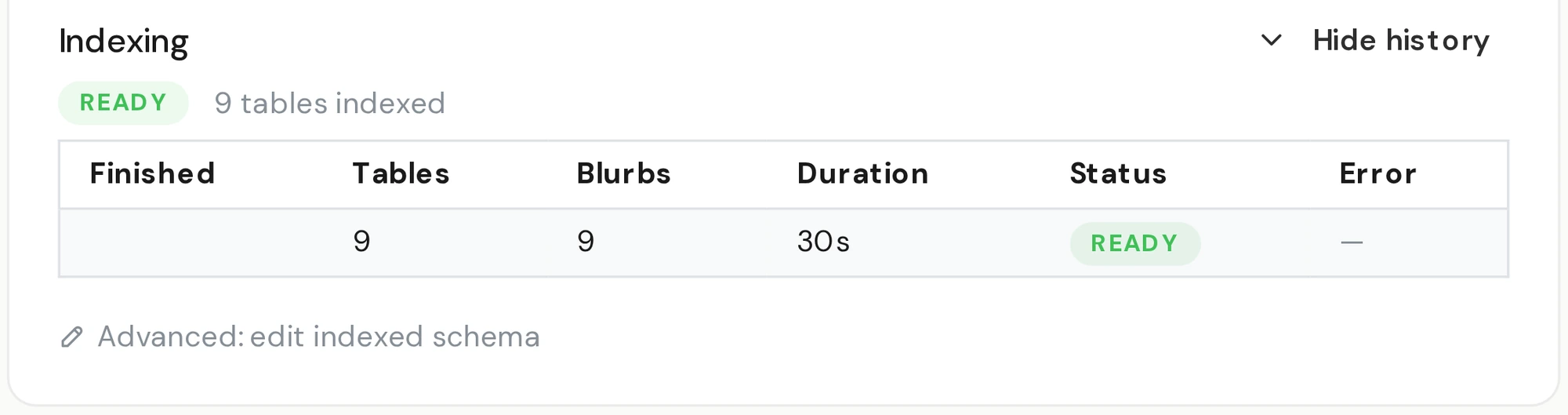
Indexing finished: 9 tables indexed, 9 descriptions written.
You can read it, and correct it
The index is open to your team. In the schema editor, pick a table and read the description DecisionBox wrote for it. Rewrite one that is off, add keywords, or remove a noisy column or an irrelevant table from the index. Your warehouse isn't touched. The change applies at once, for discovery and for Ask.
Every edit is recorded: who made it, when, and what it said before. When your warehouse changes, re-index it. DecisionBox rebuilds the descriptions from the warehouse as it is now, picks up new and dropped tables, and warns you first if your edits would be replaced. They stay in the history, ready to re-apply.
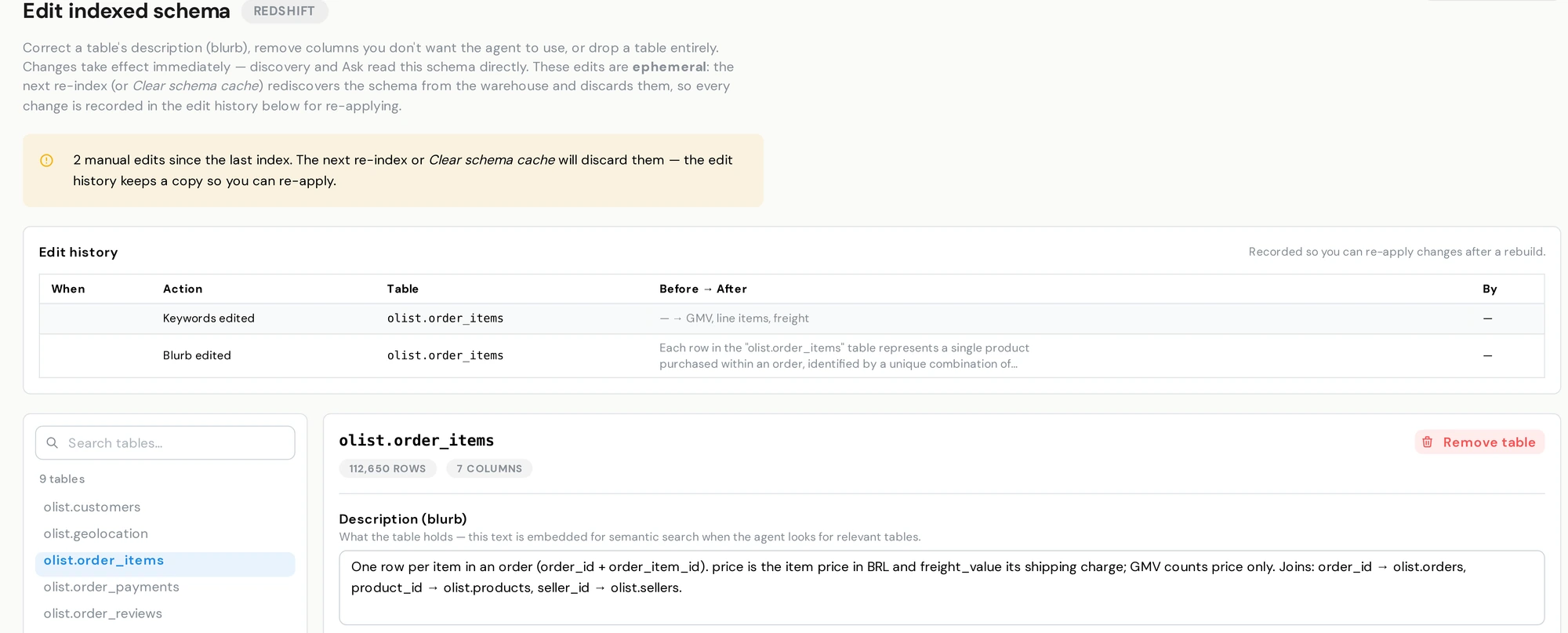
The same table after a team correction, with the joins and the GMV rule written in. The edit history keeps each change, before and after.
Teach it your definitions
Some meaning never makes it into a schema. Add it as knowledge: a data dictionary, a policy document, a web page, a Google Drive folder, or a short note in plain words.
“GMV means the sum of item price, excluding freight.”
Pin a note and it is in context for every run and every answer. Ask what your GMV was in 2017, and the query Ask writes applies your definition: item prices, excluding freight.
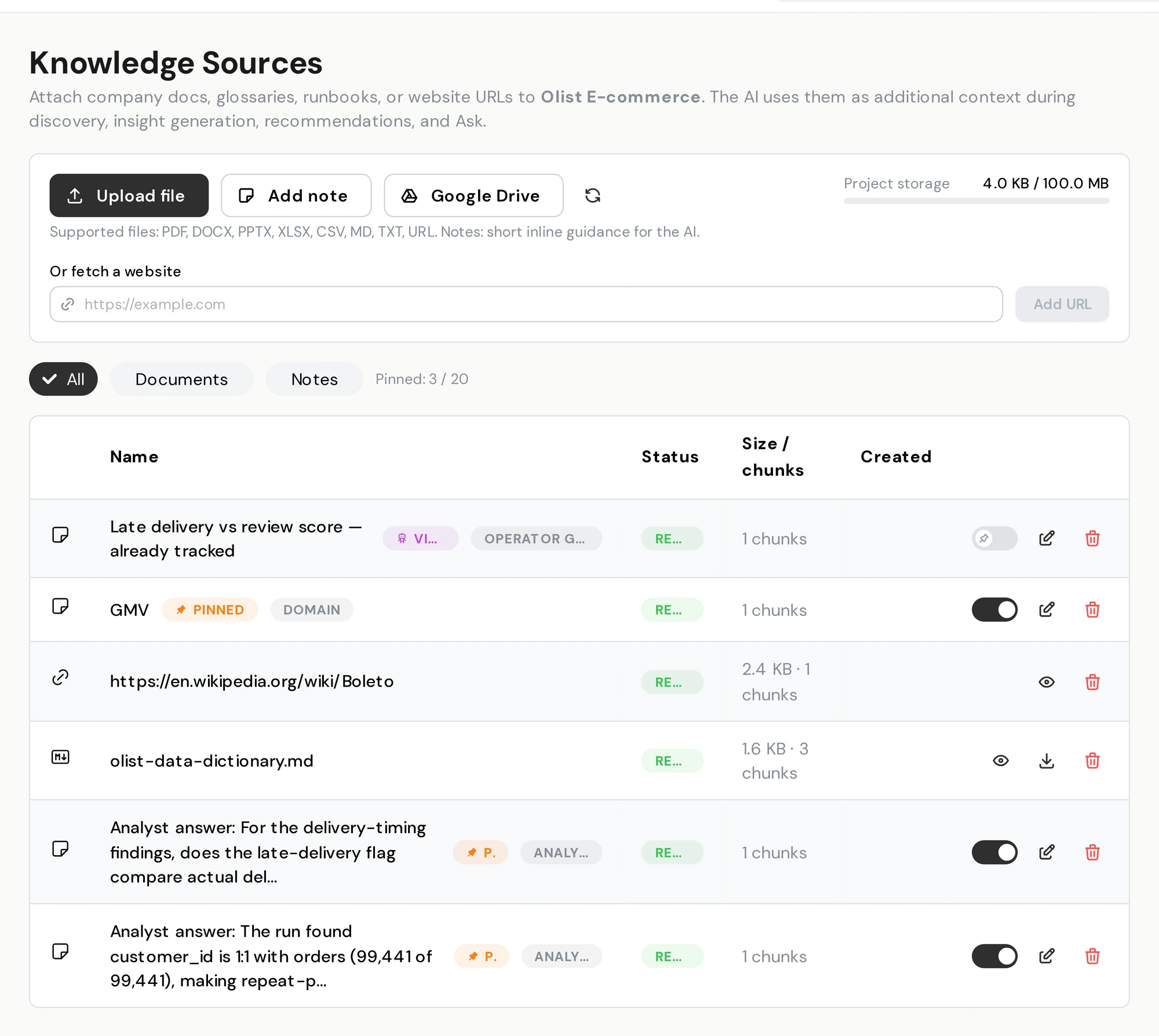
Knowledge sources: the pinned GMV note, a web page, a data dictionary and saved answers.
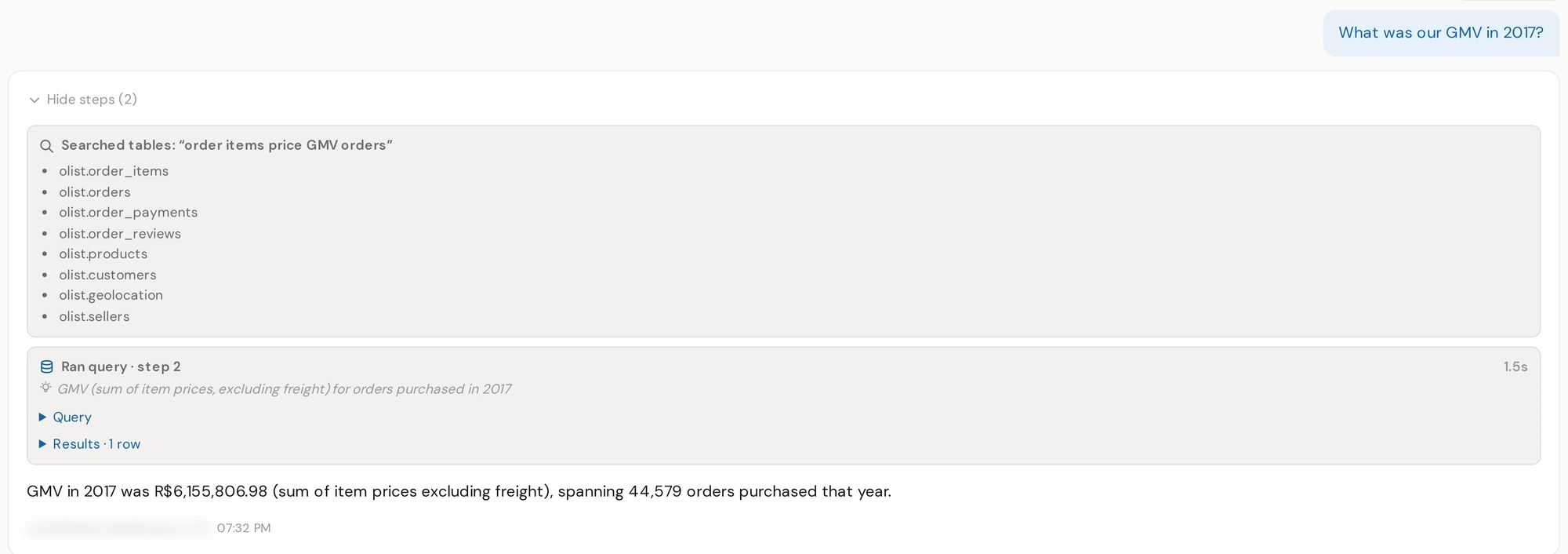
Ask applies the definition in its query: GMV as the sum of item prices, excluding freight.
It asks when the data can't settle something
Sometimes a run meets two definitions that could both be right, such as GMV with or without freight, or a column whose meaning the data can't settle. Instead of settling it silently, DecisionBox can ask a few short questions after the run, grounded in what it saw.
You answer with a choice or a short sentence. Each answer is saved as a pinned note that the next run reads instead of guessing again. Over time the answers add up to your business definitions, written down once.
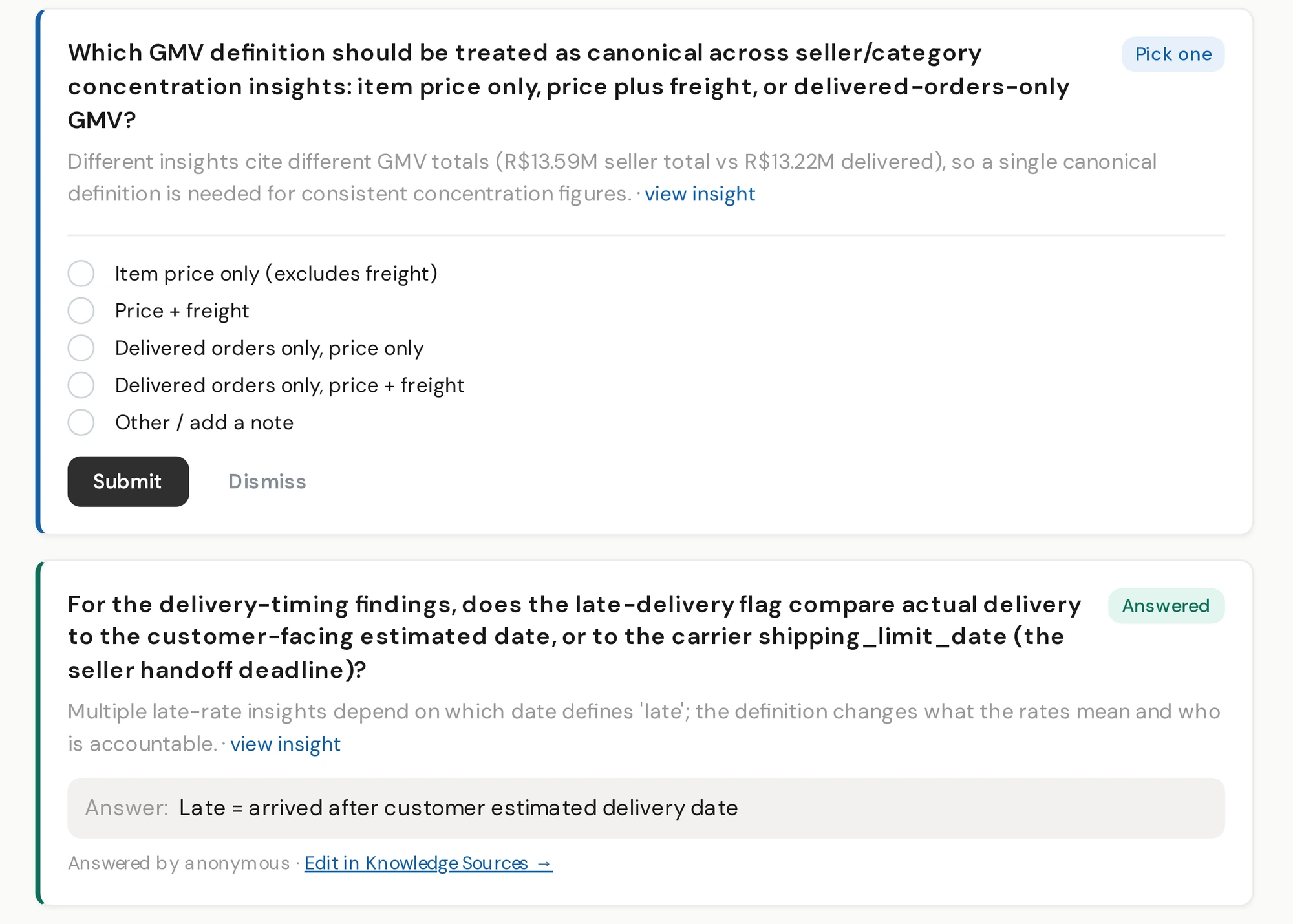
An open question about which GMV definition to use, and an answered one, saved to the knowledge sources.
What matters in your business
A playbook tells DecisionBox what to investigate: the analysis areas and the questions inside each one. The project profile beside it holds your business facts and the targets you measure against. Start from a built-in playbook, edit it in the dashboard, or import one as a file. On Enterprise, DecisionBox can write the first version from your schema and your documents.
When runs keep finding signals that no analysis area covers, DecisionBox can propose a change to the playbook, with its reason. You decide per project whether proposals wait for approval.
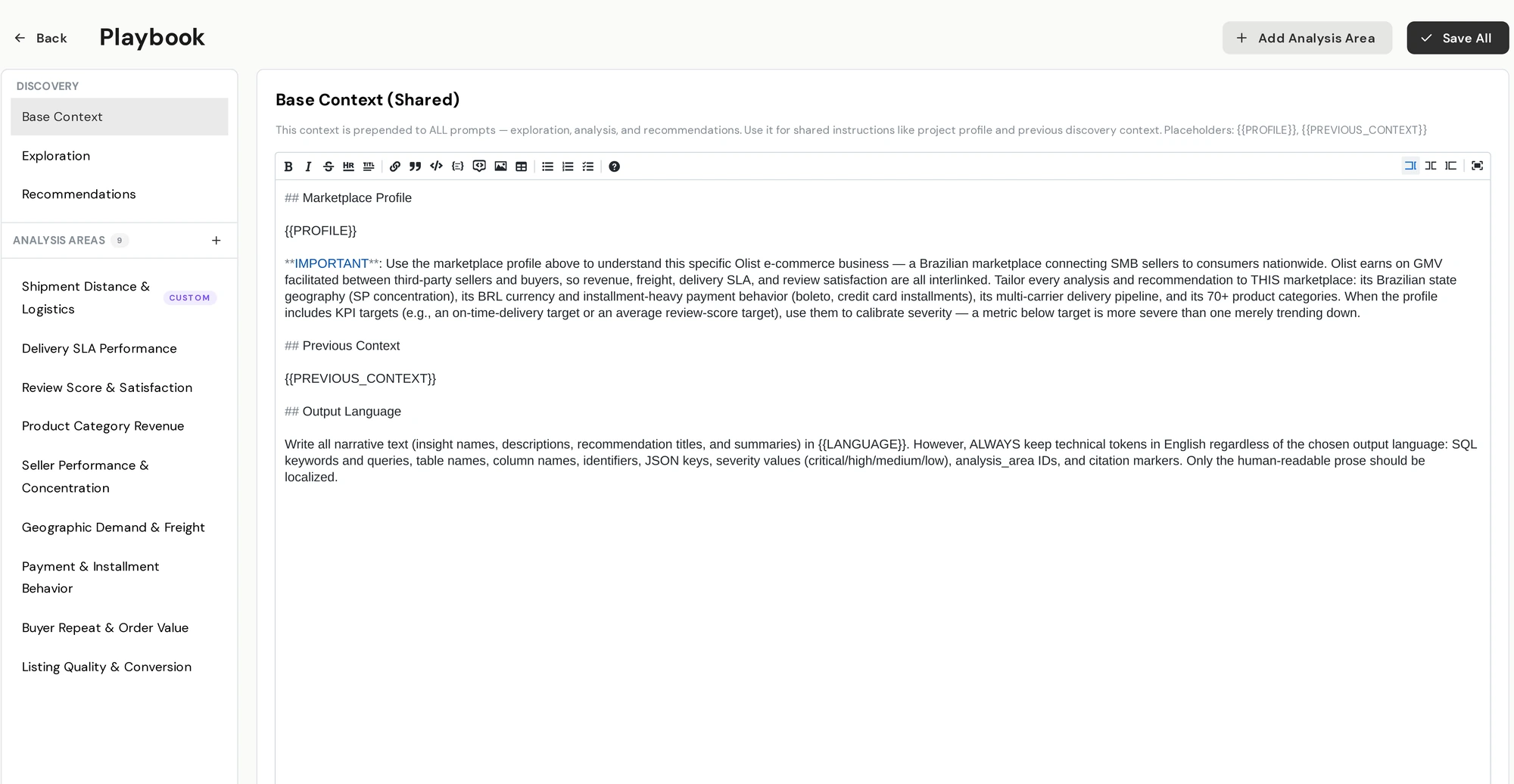
A playbook with its shared base context and 9 analysis areas, one of them added for this project.
Boundaries and connections
Discovery Scope sets which tables are in bounds. It applies from indexing onward, so an out-of-scope table is never described, searched or queried. Governance rules hide or redact sensitive columns on top of that.
When a project spans more than one data source, each source gets a short card: what data it holds, the main things it records and the measures it tracks. Ask uses the cards, together with a search of each source's tables, to send each question to the right source. DecisionBox suggests the keys that join one source to another, and your team confirms or rejects them.
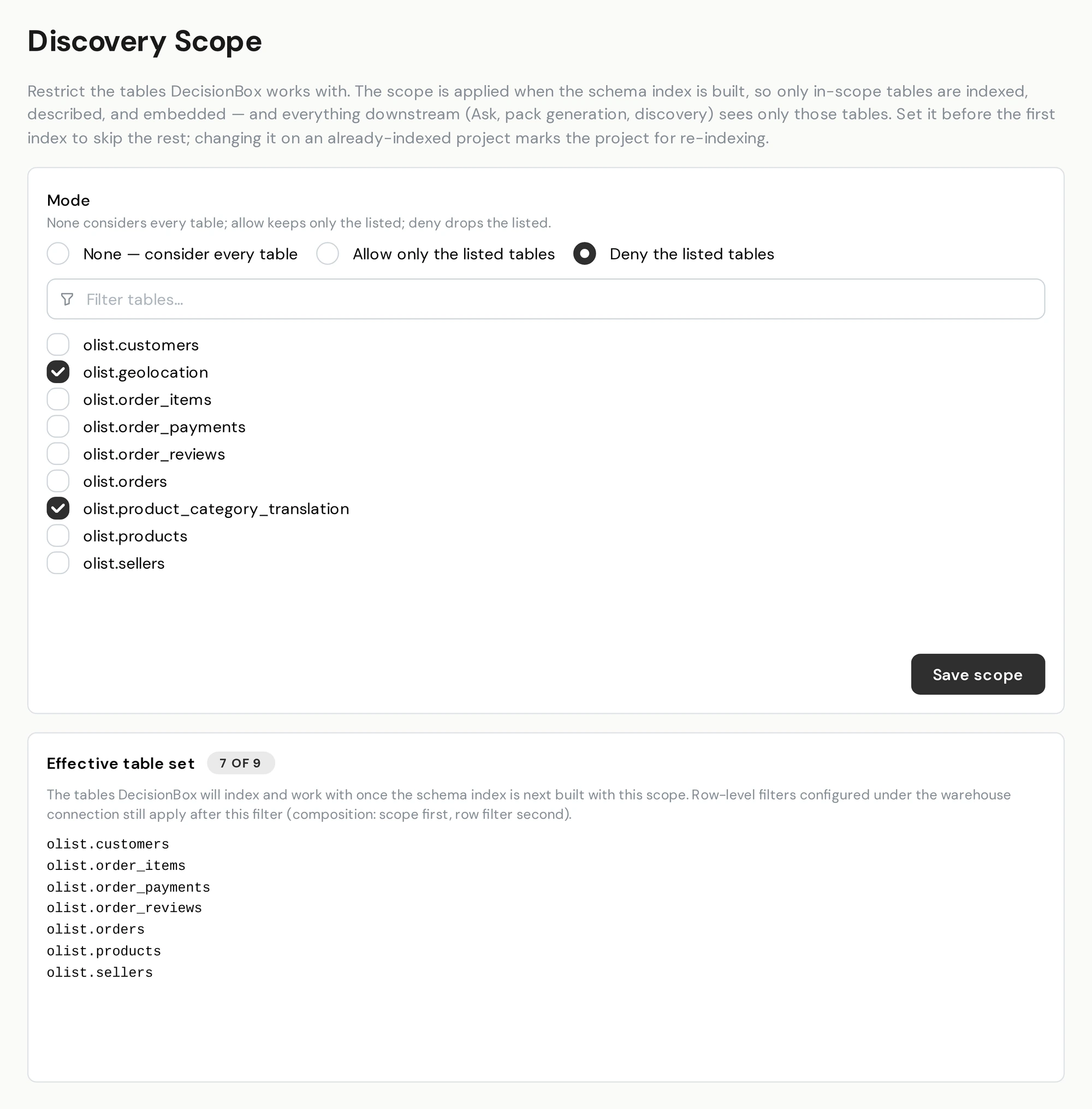
Discovery Scope with two tables excluded, before saving. The preview shows the 7 of 9 tables DecisionBox would index.
How DecisionBox's AI agents use it
Reads table descriptions, notes and documents, the playbook and project profile, and the scope when it decides what to explore.
Reads table descriptions, notes and documents, the data-source cards and the scope when it picks a source and writes a query.
Reads the table schema when the verifier and refuter check a claim against your rows.
More on the checks in Validation.
What it is, and what it isn't
It is written for DecisionBox's own agents. It doesn't hold formula-level metric definitions, and your BI tools can't query it. If your metrics already live in a modeling tool, DecisionBox reads the tables that tool builds and leaves your definitions where they are.
See it in the product
Questions people ask
Is this a semantic layer in the BI sense?
It covers the part an AI analyst needs: what your tables mean, the definitions your business uses, and which data is in bounds. It doesn't store formula-level metric definitions, and other tools can't query it through an API. It is built for DecisionBox's agents.
Do we have to write anything before the first run?
No. DecisionBox describes your tables on its own before the first run. Corrections, notes and documents are optional, and each one gives later runs more to work with.
We already model our data in a modeling tool. Does DecisionBox use it?
DecisionBox reads the tables your models build and runs its own analysis on them. It doesn't import metric definitions from modeling tools. It indexes tables, so point it at models you build as tables: on most warehouses, views aren't indexed yet.
What happens when our schema changes?
Re-index the data source whenever you like. The dashboard flags when the index may be stale. A re-index rebuilds the descriptions from the live warehouse, and your earlier edits stay in the edit history to re-apply.
Which parts are open source?
Table descriptions, the schema index and editor, playbooks and the project profile are in the open-source Community edition. Knowledge sources, clarifying questions, playbook generation, Discovery Scope and routing across several data sources are in Enterprise.
Try it in two minutes
Clone the repo, run docker compose up, and point it at your warehouse.