Your model, your rules.
A model for each step.
DecisionBox runs on the LLM provider you choose: a model vendor's API, a cloud AI platform, an open-weight model or a local one. Each step of the work can use its own model. In our measurement, prompt caching cut the cost of a run on a Claude model by about three quarters.
Seven supported providers
Claude (Anthropic)
Claude models, direct from the vendor.
OpenAI
OpenAI models and compatible APIs.
AWS Bedrock
Claude, plus open-weight models such as Qwen, DeepSeek, Mistral and Llama, with IAM sign-in.
Google Vertex AI
Gemini and Claude, open models from Model Garden, and endpoints you deploy yourself.
Azure AI Foundry
Claude, OpenAI and Mistral models in your Azure subscription.
Ollama
Open models on your own hardware.
LiteLLM
Any OpenAI-compatible gateway: one endpoint in front of many models.
DecisionBox also uses an embedding model to index your tables and search by meaning. It has its own provider: OpenAI, Voyage AI, Bedrock, Vertex AI, Azure OpenAI, Ollama or LiteLLM.
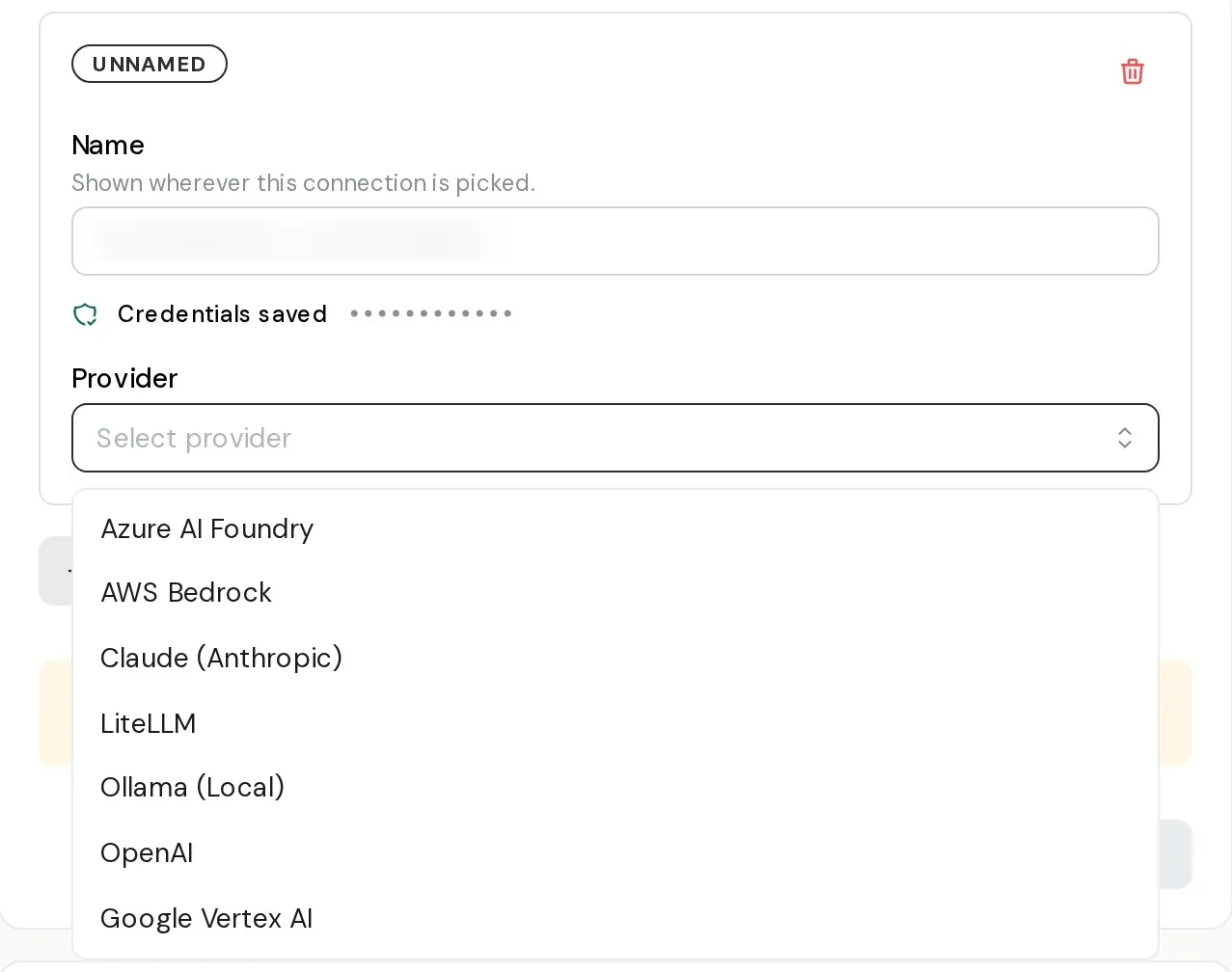
Adding a second provider connection to a project. Each connection keeps its own credentials.
A model for each step
A project can hold several provider connections, each with its own credentials, kept in the secret store rather than in the project. One default model covers every step, and any step can override it.
There are 17 steps. Six are main steps, where the model changes what people see: exploration, analysis, the verifier, the refuter, recommendations and Ask. The other 11 are small, high-volume steps, such as table descriptions, clarifying questions and SQL repair.
So you can match the model to the job. Exploration is a long loop of queries, so you might run it on a lower-priced open-weight model through Bedrock. The verifier and the refuter decide what counts as verified, so you might give them the most capable model you have, and put the small steps on a small, fast model. That is the setup shown below.
Token limits, reasoning and prompt caching are set per step as well, because they belong to the model. A test button checks each step's model before you start a run. Projects created before this change need one visit to settings: the values arrive pre-filled from what the project already uses, so you review them and save.
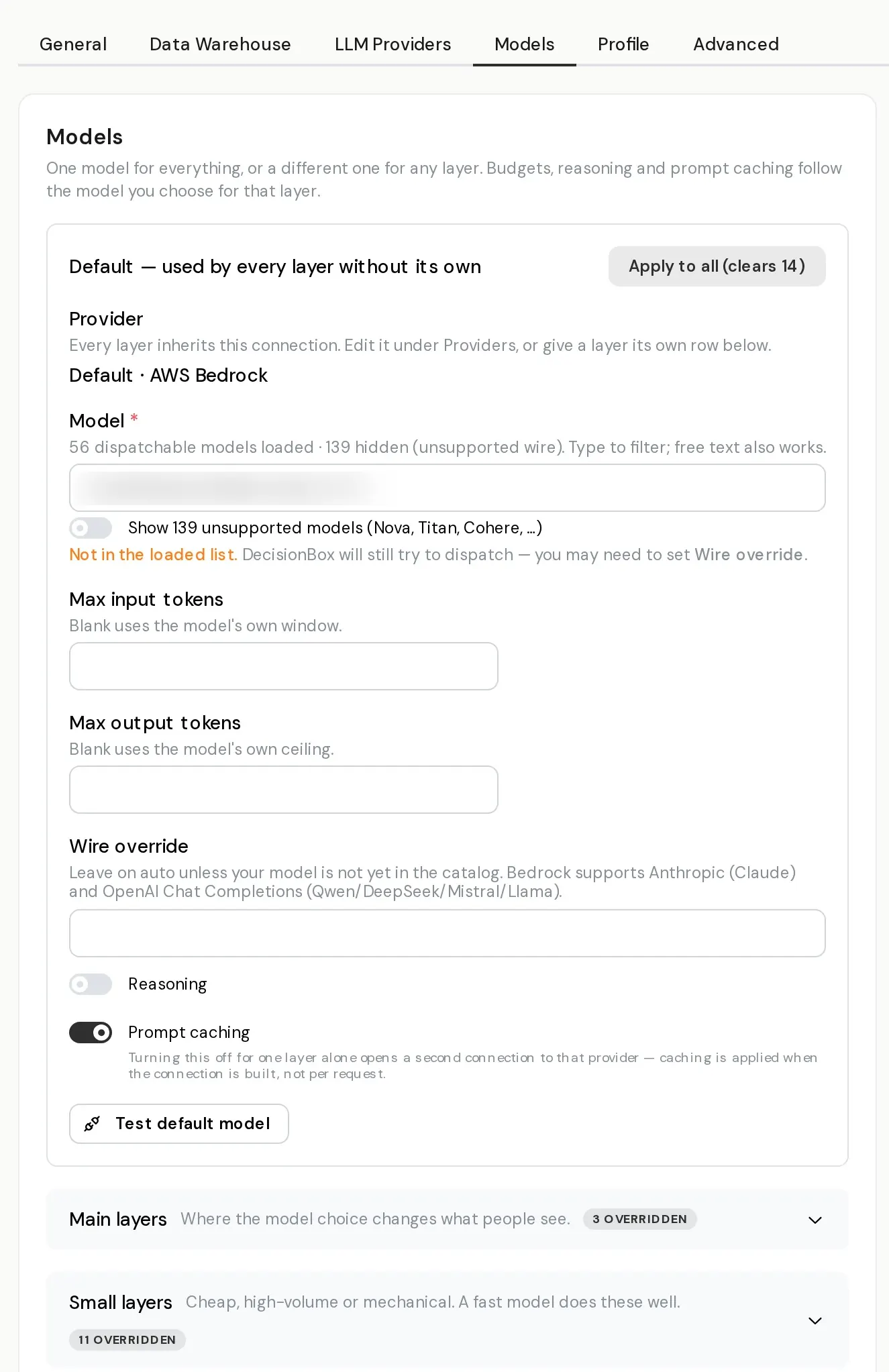
One default for every step, with 14 steps overridden in this project.
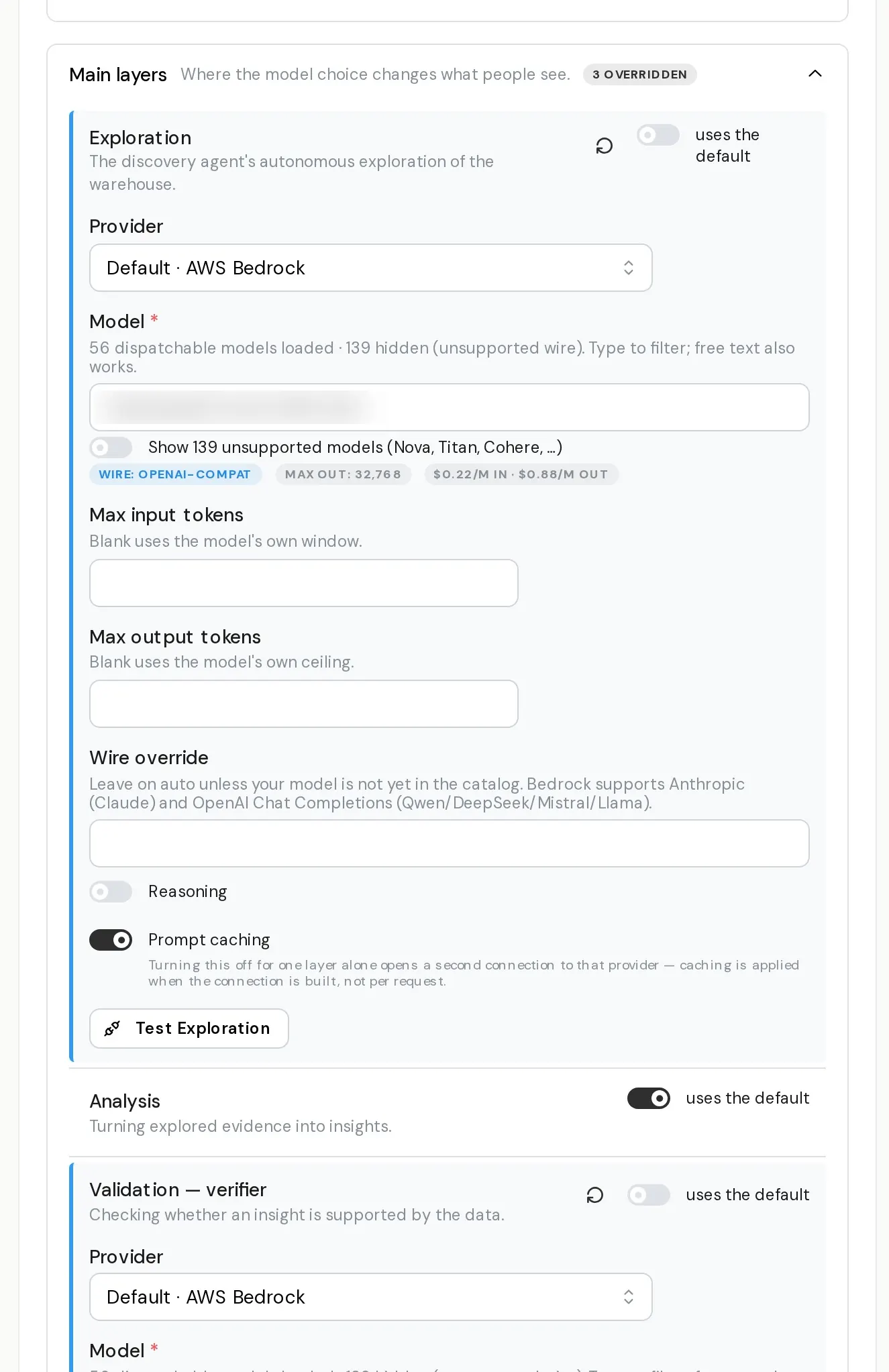
Exploration runs on an open-weight model through Bedrock. Analysis keeps the default. The verifier has its own model.
Prompt caching cuts the cost of a run
Same model, same settings, same day, with the same quality profile.
Exploration re-sends the whole conversation at every step. On Claude models, wherever they run (Anthropic, Bedrock, Vertex AI or Azure AI Foundry), DecisionBox marks the repeated part for caching, so each call reads it back at a fraction of the price. It is on by default, and you can switch it off for any step. OpenAI-compatible providers cache repeated prompts on their side, with nothing to set.
Private, local and open models
Local models
Run the model and the embeddings on your own hardware through Ollama, so prompts stay inside your network.
Your own gateway
Point DecisionBox at a LiteLLM proxy or another OpenAI-compatible endpoint you already run.
Private certificates
If your model endpoint sits behind an internal certificate authority, add the CA certificate in the project settings. No image rebuild.
Smaller models
Output is budgeted against each model's real context window, and the recommendation step works with small-context models.
Running everything yourself? The self-host guide covers Docker Compose, Kubernetes and Terraform.
See it in the product
Questions people ask
Which providers does DecisionBox support?
Seven: Claude (Anthropic), OpenAI, AWS Bedrock, Google Vertex AI, Azure AI Foundry, Ollama and LiteLLM. Through LiteLLM or an OpenAI-compatible endpoint you can reach many more.
Can I run it entirely on my own hardware?
Yes. Ollama can serve both the model and the embeddings locally, and the rest of DecisionBox is self-hosted.
Do I have to choose a model for every step?
No. One default covers every step. Override only the steps where a different model makes sense.
Does prompt caching change the results?
In our measurement, with the same model and settings on the same day, the quality profile stayed the same while the run cost about three quarters less. Caching is on by default for Claude models. If your account or region doesn't support it, switch it off per step.
Is this in the open-source edition?
Yes. Every provider, per-step models and prompt caching are in the open-source Community edition. Enterprise adds fine-tuning a cloud model on your own discovery history.
Try it in two minutes
Clone the repo, run docker compose up, and point it at your warehouse.